

Nearly a third of consumers stopped buying from a brand due to poor customer experience.The difference between scattered email chains and a well-executed client portal can determine whether a client stays or moves to a competitor who just gets it.
When choosing the best client portal software,it’s important to evaluate how each platform handles secure communication, document sharing, and workflow management. The right client portal solution can replace scattered emails, improve collaboration, and create a more professional experience for your clients.Modern customer portal software goes beyond simple file sharing. It includes features like role-based access, real-time messaging, task tracking, and integrations with your existing tools. If you want a deeper understanding of how these systems work, check out our complete guide to web portals.
In this guide, we’ve reviewed eight client portal tools that genuinely stand out in 2026: Clinked, Zendesk, SuiteDash, Zoho Creator, Basecamp, Bonsai, SuperOkay, and Teamwork. Each serves a different type of business, and by the end, you’ll know exactly which one fits yours.
To learn more about why these platforms matter, read: The power of a client portal.
Top 8 client management portal software: comparison table
Before diving into detailed reviews, here's a quick snapshot of how each tool stacks up:
Do You Actually Need Client Portal Software?
Most businesses start looking for client portal software after one thing breaks: communication.
Projects get buried in email threads. Files are scattered across tools. Clients ask for updates you’ve already sent twice.
But here’s the part most guides don’t tell you:
Not every business actually needs a full client portal.
When you probably DON’T need a client portal
- You only work with 1–2 clients at a time
- Your workflows are simple and short-lived
- You don’t share sensitive documents
- Email + Google Drive is still manageable
In these cases, adding a portal can actually slow you down.
When a client portal becomes essential
You’ll see immediate value if you:
- Manage multiple clients simultaneously
- Share sensitive or regulated documents
- Need structured approvals and feedback
- Run repeatable onboarding or delivery processes
- Want to present a more professional, branded experience
A good client portal software doesn’t just organize work- it changes how clients experience your business.
The best client portal software in 2026
Let's dig into each platform. I've tested these extensively and gathered real user feedback to give you the full picture.
Clinked
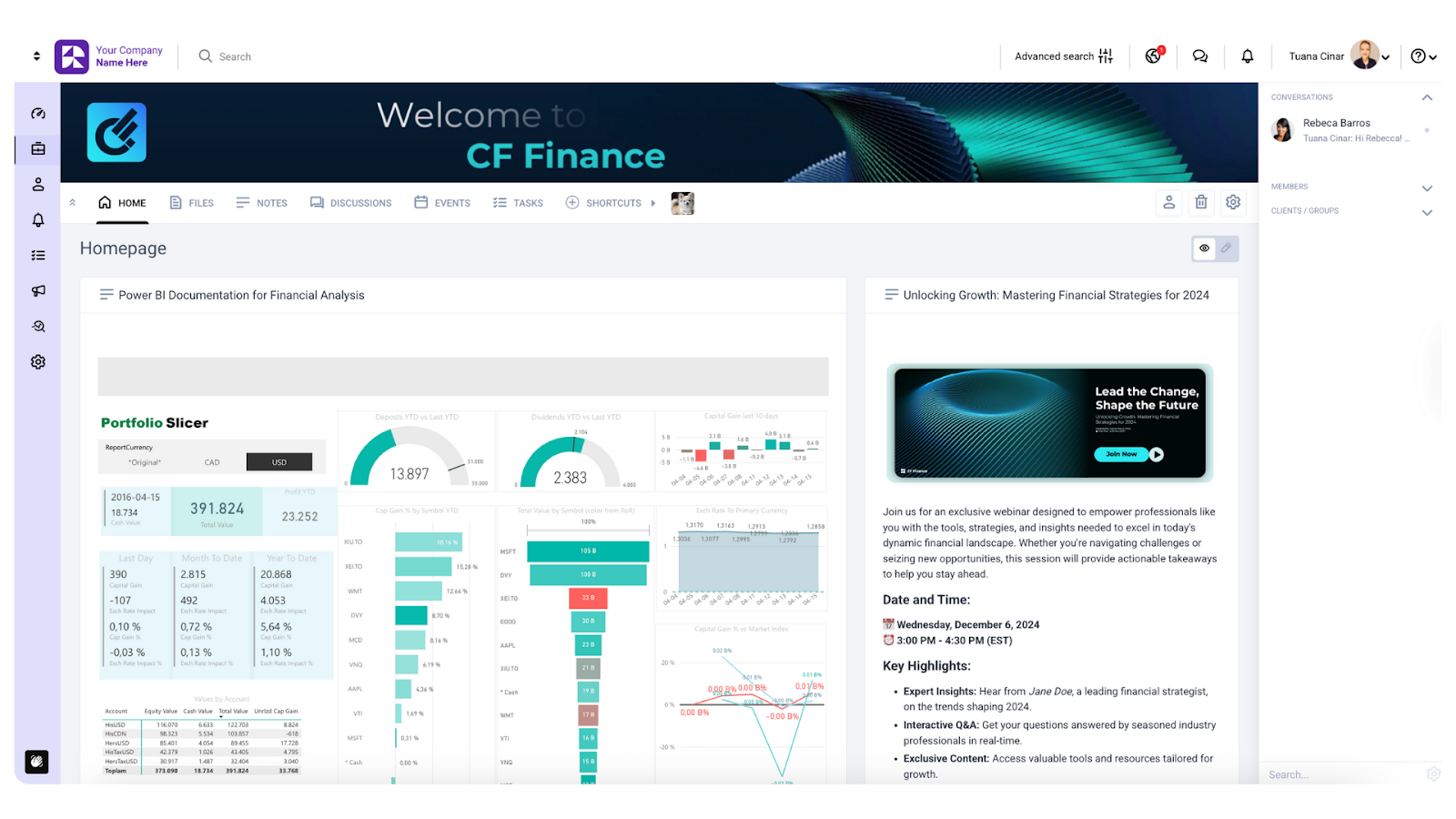
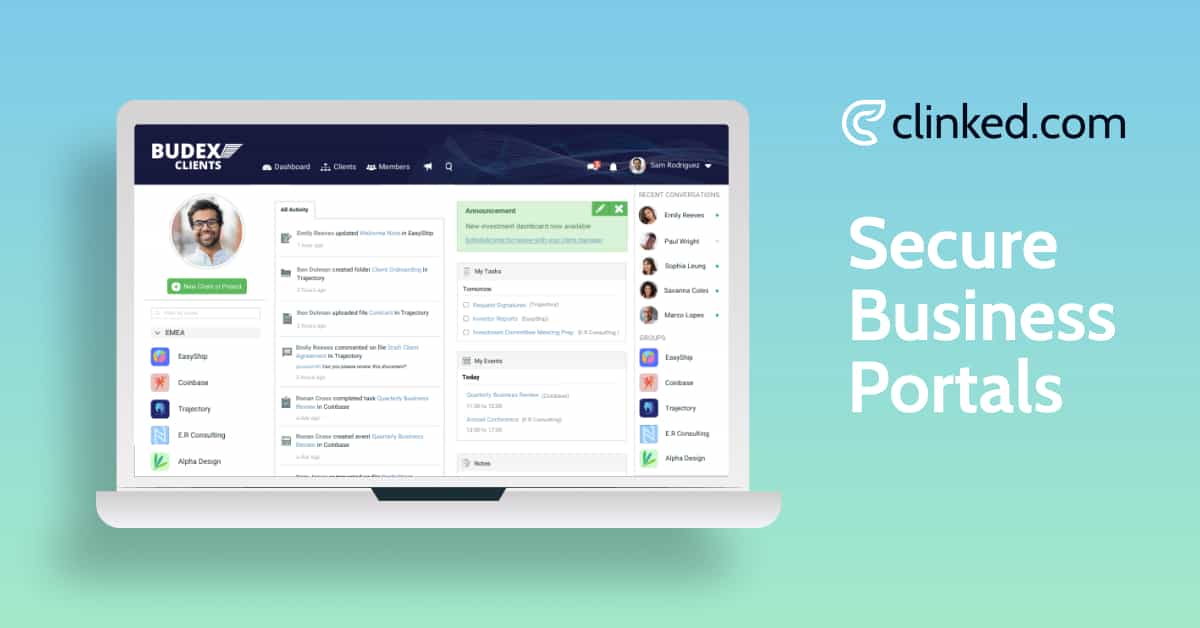
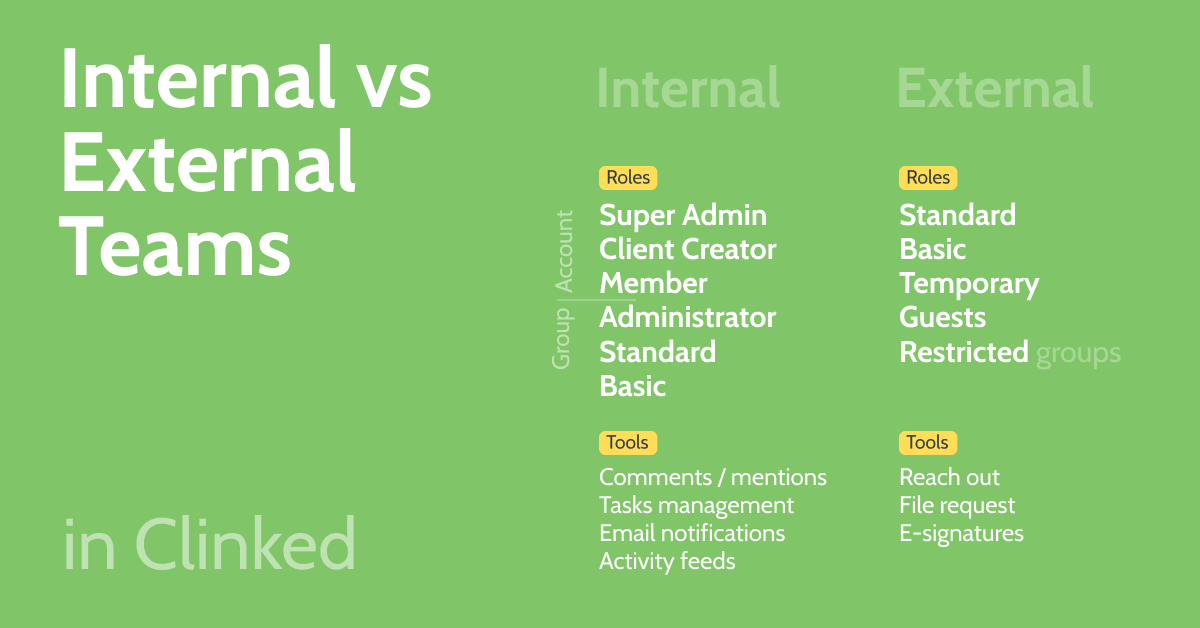
Clinked is a cloud-based client portal fully customizable client portal software solution designed for professional services firms that need a fully white-labeled allowing businesses to match the portal to their brand. With ISO 27001 and SOC 2 certifications, it’s trusted by organizations secure client collaboration.It’s also widely used as a client portal for agencies, where teams need to manage client feedback, approvals, and ongoing collaboration in one structured workspace.
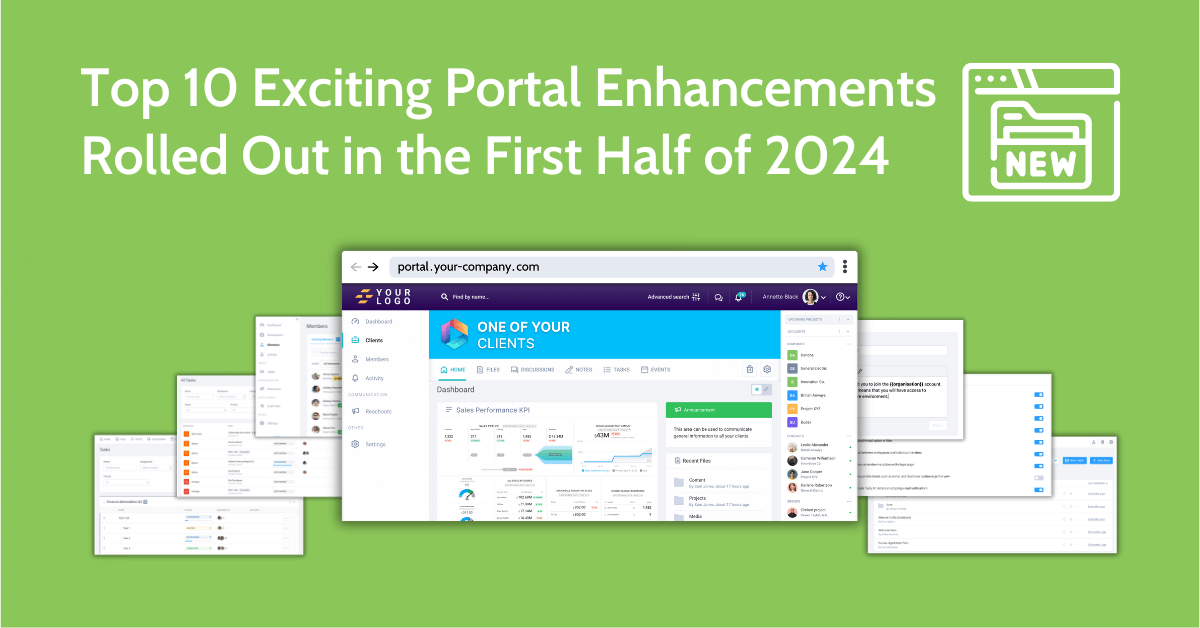
In my testing, Clinked stood out for one thing above all: it genuinely feels like your own website, not rented software. The white-labeling goes deep: custom domains, branded email notifications and white-label mobile apps for iOS and Android. Clinked's customizable client portals can include personalized dashboards for each client. You can securely share files with clients through dedicated features, ensuring convenience and data protection. Its project and task management options let clients track their project progress and see upcoming deadlines in real time.
Best for: If your priority is secure document sharing, compliance, and a fully branded client experience, Clinked is one of the strongest options in this list.Mid-to-large service businesses in legal, financial and consulting industries requiring professional branding, enterprise security and extensive customization. Perfect for companies managing sensitive data who want their portal to feel like a natural brand extension.
My rating: 4.9/5
Pros and cons
Pros:
- Extensive white-labeling, including custom mobile apps
- Bank-grade security
- Intuitive interface that clients can use without training
- Responsive customer support with dedicated success managers
Cons:
- Higher subscription cost than some basic alternatives
- Some users may want more granular notification controls
Features
- Secure file sharing with version control, allowing clients to upload files directly through the portal
- Real-time group chat and 1-to-1 messaging
- The ability to manage tasks with Kanban boards, set due dates, and use custom fields for organizing project data
- Shared calendars and events
- Discussion forums
- Document watermarking
- Comprehensive audit trails
- Over 7,000 integrations through Zapier, plus native connections to Google Workspace, Calendar apps and Docusign
Pricing
- Standard Plan: $239/month
- Premium Plan: $599/month
- Enterprise Plan: Custom pricing for 1000+ members and 5TB+ storage
Annual billing gets you 20% off, while two-year commitments save 35%. All pricing is for 100+ staff members and unlimited guests.
User opinions
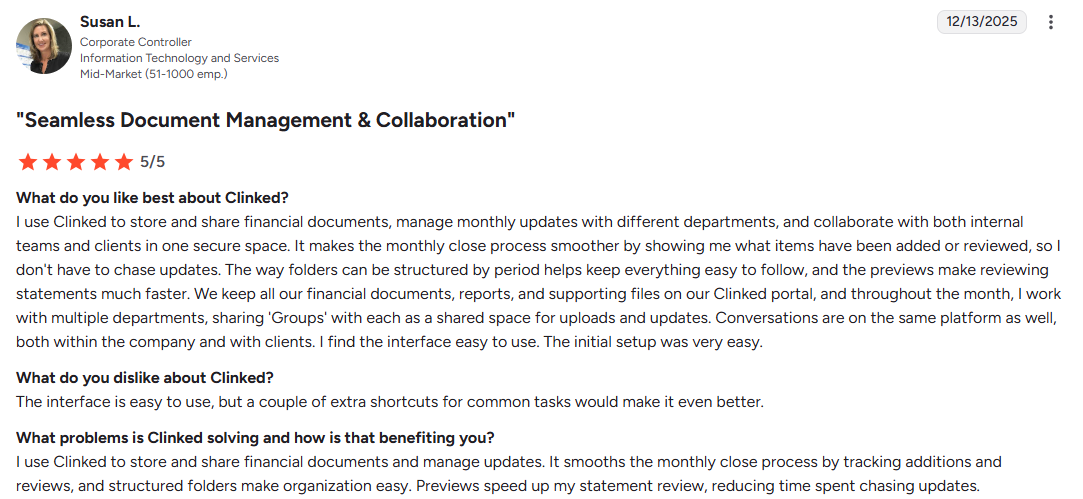
Clinked has a 4.9/5 rating on both G2 and Capterra.
Implementation
Setting up Clinked is fairly quick. You can have your first client workspace running within hours. The platform provides step-by-step guidance for customizing your portal, adding users and configuring permissions. For Enterprise customers, a dedicated Customer Success Manager handles client onboarding and provides ongoing optimization support.
Why businesses choose Clinked:
- Enterprise-grade security (ISO 27001, SOC 2, GDPR-ready)
- Fully white-labeled experience (custom domain, branding, mobile apps)
- Easy client onboarding (no training required)
- Centralized communication & file sharing
- Real-time project visibility for clients
Ready to give it a try? Book a demo or start your free trial today.
Explore Clinked’s client portal solution
Zendesk
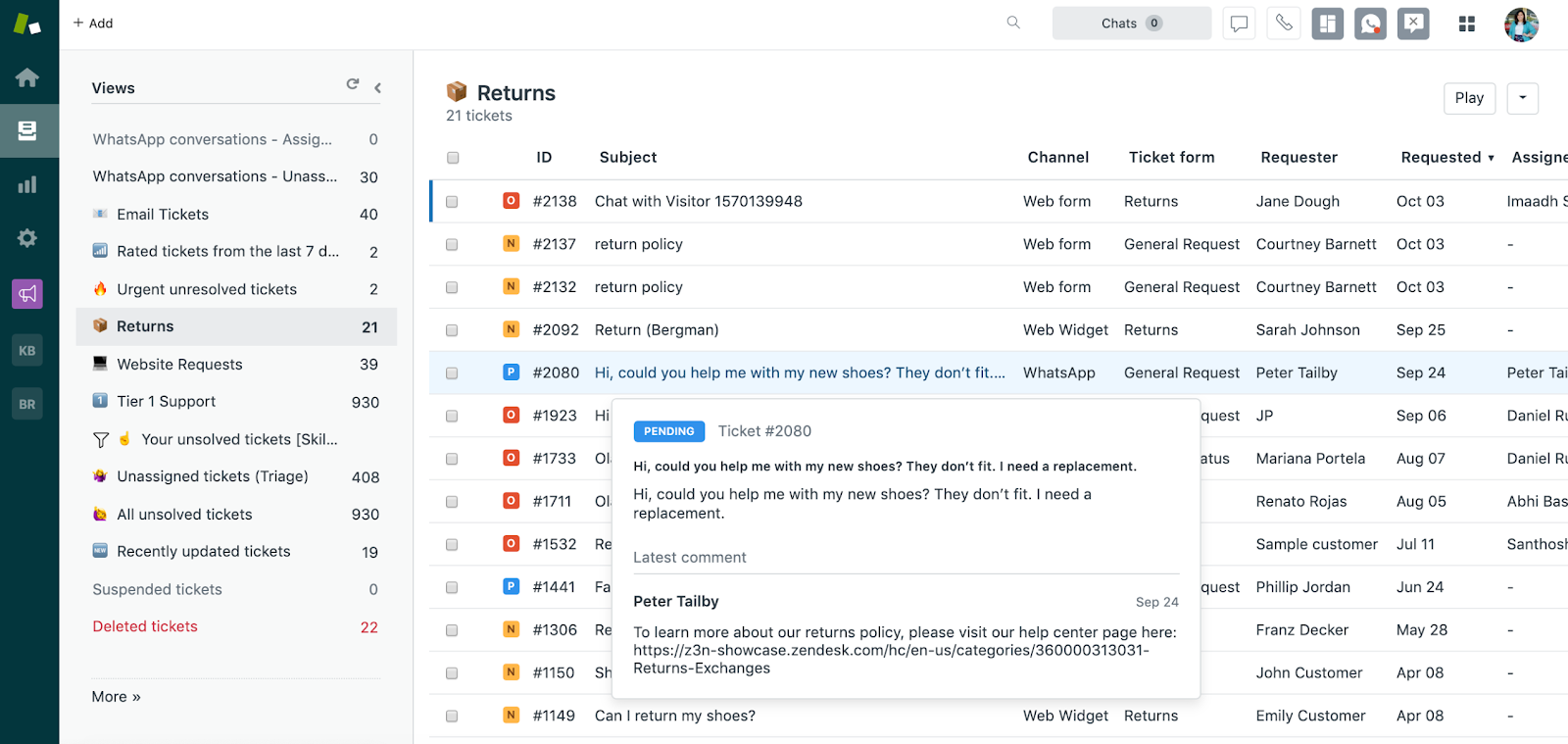
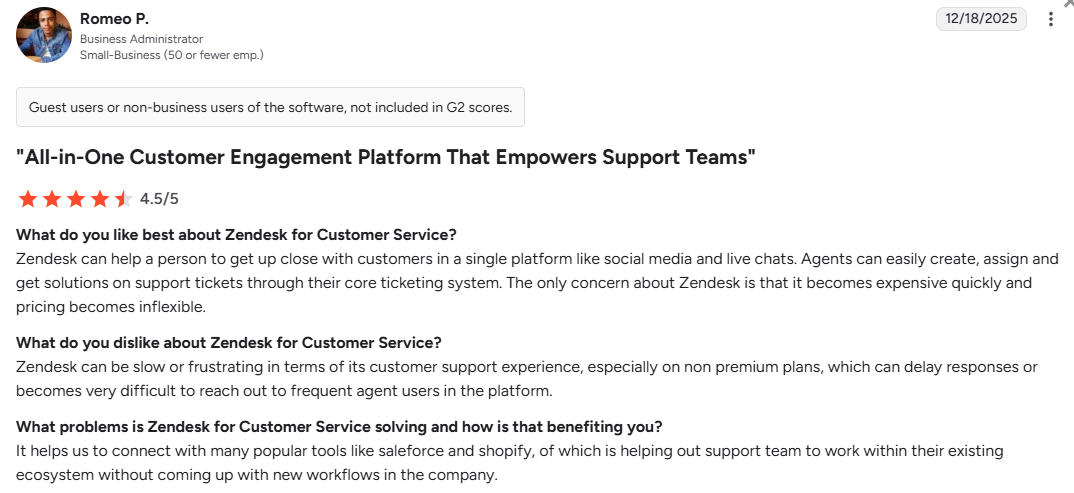
Zendesk is a cloud-based customer service platform that unifies client interactions across email, live chat, phone and social messaging into a single agent dashboard. It's good for businesses prioritizing customer support and ticket management, with features like an AI-powered knowledge base, ticket tracking and extensive integrations.
However, my experience revealed a frustrating irony: a customer support company that provides notoriously poor support to its own customers on lower-tier plans. Expect long wait times and generic bot responses unless you’re on enterprise plans.
Best for: High-volume support environments in e-commerce, SaaS and healthcare requiring deep automation, omnichannel unity and sophisticated reporting.
My rating: 3.9/5
Pros and cons
Pros:
- Unified omnichannel view of the complete customer journey
- Powerful automation with macros and triggers
- Enterprise scalability (5 to 5,000+ agents)
- Multiple integration options
Cons:
- Expensive pricing with resolution fees
- Steep learning curve
- Poor customer support for lower-tier users
- Key features locked behind expensive tiers
Features
- Macros for pre-written responses
- Advanced AI agents for FAQs
- AI-powered knowledge base features for streamlined support
- Sunshine Platform for custom development and Explore for custom analytics dashboards
- Native integrations with Salesforce, HubSpot, Slack, Shopify and JIRA
Pricing
- Support Team: $25/agent/month
- Suite Team: $69/agent/month
- Suite Professional: $149/agent/month
- Suite Enterprise: $219/agent/month
User opinions
G2 rating: 4.3
SuiteDash
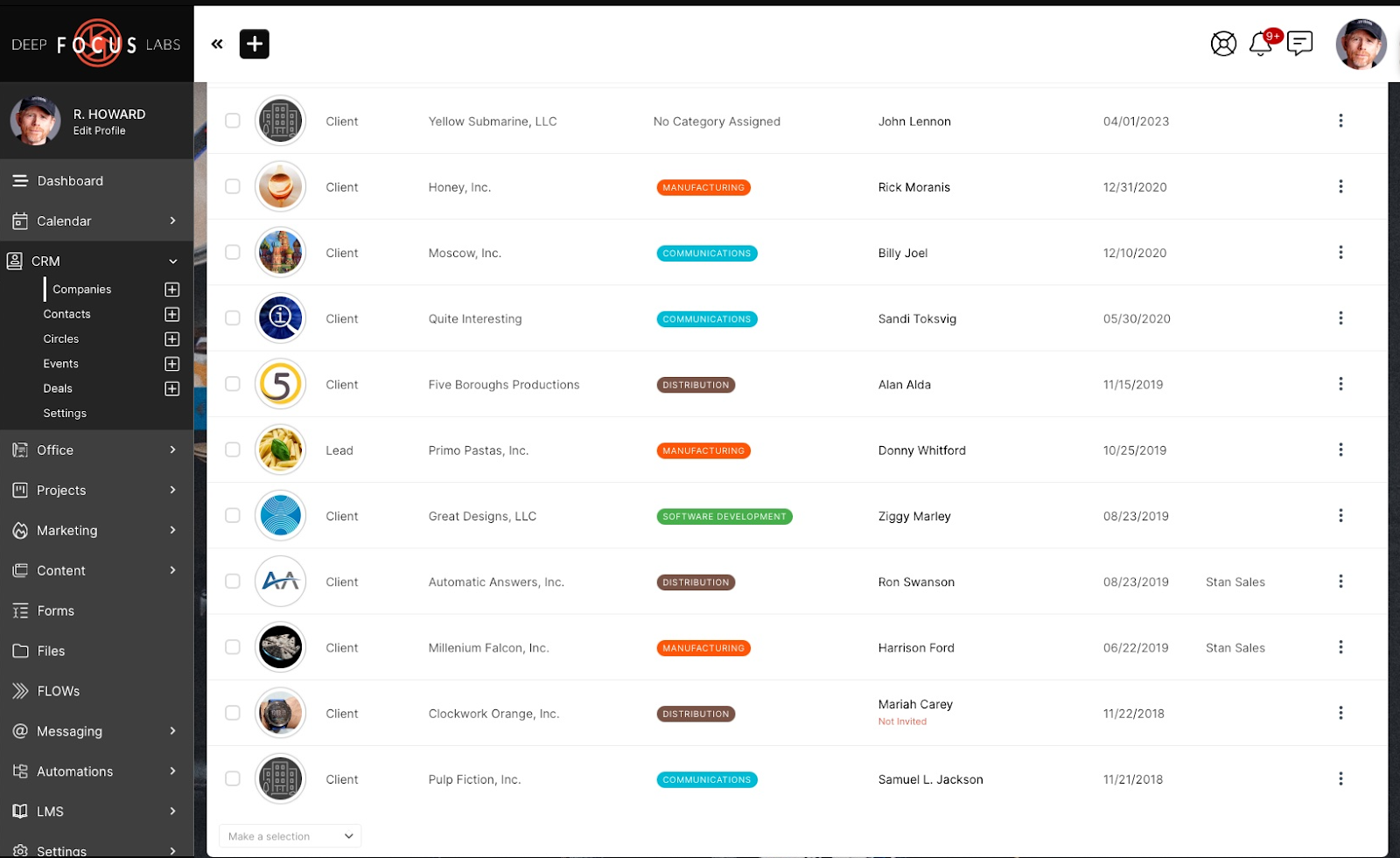
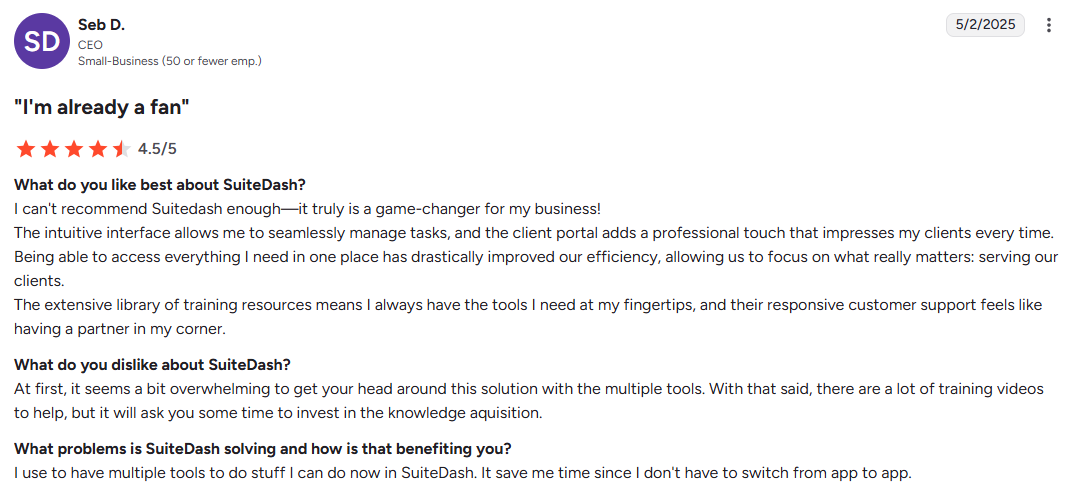
SuiteDash is one platform that consolidates multiple business functions (including CRM, project management, client portals and billing) into a single interface. It can replace a “Frankenstein” stack of separate subscriptions. A marketing agency might use it to manage the entire client lifecycle: prospect fills a form, triggering an automated proposal, e-signature contract and branded portal. The client hub centralizes communication and task management.
See also: SuiteDash alternatives
Best for: Solo freelancers and small-to-mid-sized service agencies (2-20 people) who prioritize consolidation and cost-savings over specialized features.
My rating: 4.1/5
Pros and cons
Pros:
- Unlimited users, no per-seat pricing
- Full white-labeling with custom URL and mobile apps
- Automation flows reduce human error in client onboarding
- Up to 2TB storage on higher tiers
Cons:
- Steep learning curve
- Slow page loading at times
- Interface feels dated compared to modern competitors
- Features are broad but not best-in-class
Features
- Automated flows for onboarding sequences
- AI content generation
- Dynamic proposals with instant e-signature and payment
- LMS toolkit for client training
- Email marketing tools for drip campaigns
- Managing subscriptions for automated billing
- Flexible order forms
- White-labeled mobile app
- Integrations with QuickBooks, Stripe, PayPal, Zoom and Google Calendar
Pricing
- Start: $19/month
- Thrive: $49/month
- Pinnacle: $99/month
- Lifetime deals are also available from $2,240
User opinions
G2 rating: 4.8
Zoho Creator
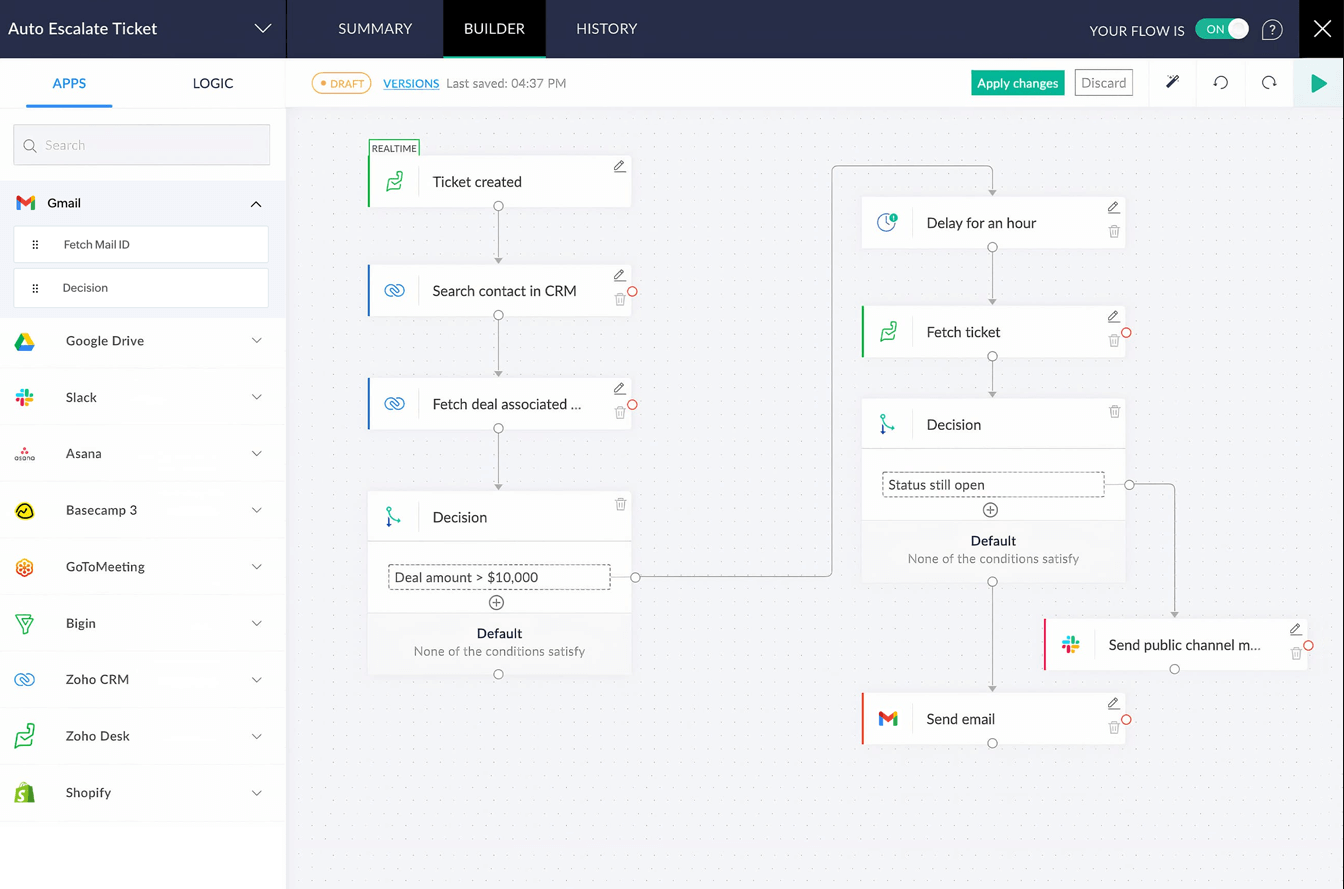
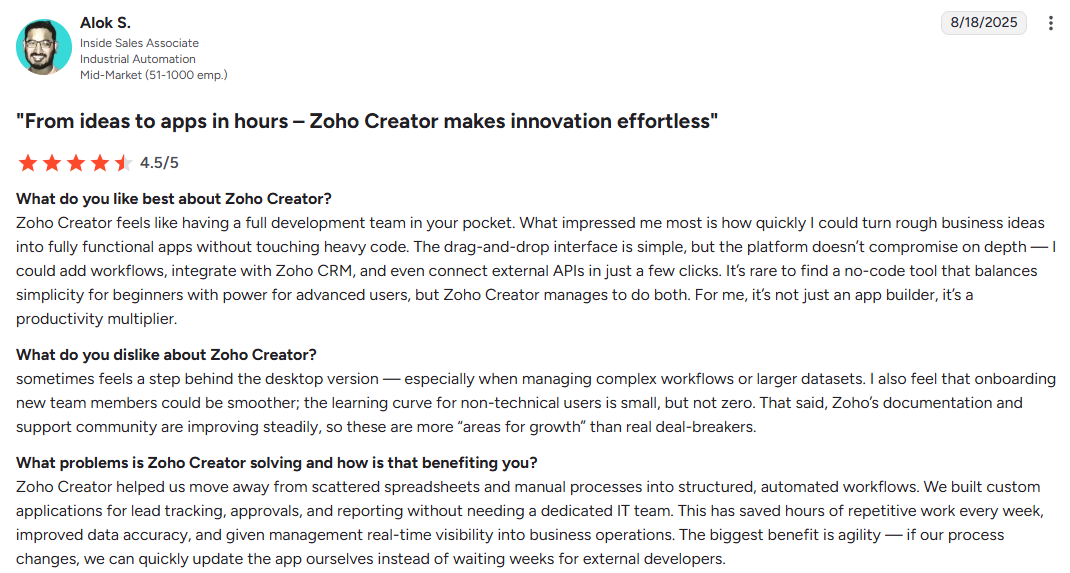
Zoho Creator is a low-code application development platform that lets you build custom business software with minimal coding. You'll enjoy it if you have outgrown spreadsheets but aren’t ready for enterprise software. It lets you add custom fields, allowing users to personalize client portals, track the progress of requests or quotes, and organize project data to improve workflow management and client communication.
If you’re interested in no-code alternatives, explore the no-code client portal guide.
Best for: SMBs in logistics, retail and manufacturing needing custom internal tools like budget trackers, approval workflows and smart intake forms.
My rating: 4.0/5
Pros and cons
Pros:
- Rapid prototyping
- Seamless integration with Zoho CRM, Books and Inventory
- Offline mobile data sync for field workers
- AI assistant (Zia) for natural language workflow generation
Cons:
- Requires learning Deluge (proprietary scripting language)
- Performance issues with large datasets
- Customer support can be slow
- Limited UI customization without technical knowledge
Features
- Visual workflow designer
- AI Smart Filter for data analysis
- Smart forms with conditional logic
- Ability to create and use custom fields for workflow management and data organization
- Integrations with the Zoho ecosystem, Stripe, PayPal, Twilio, QuickBooks and Zapier
Pricing
- Standard: $12/user/month
- Professional: $30/user/month
- Enterprise: $37/user/month
- Flex: Custom, only available with annual billing
User opinions
G2 rating: 4.3
Basecamp
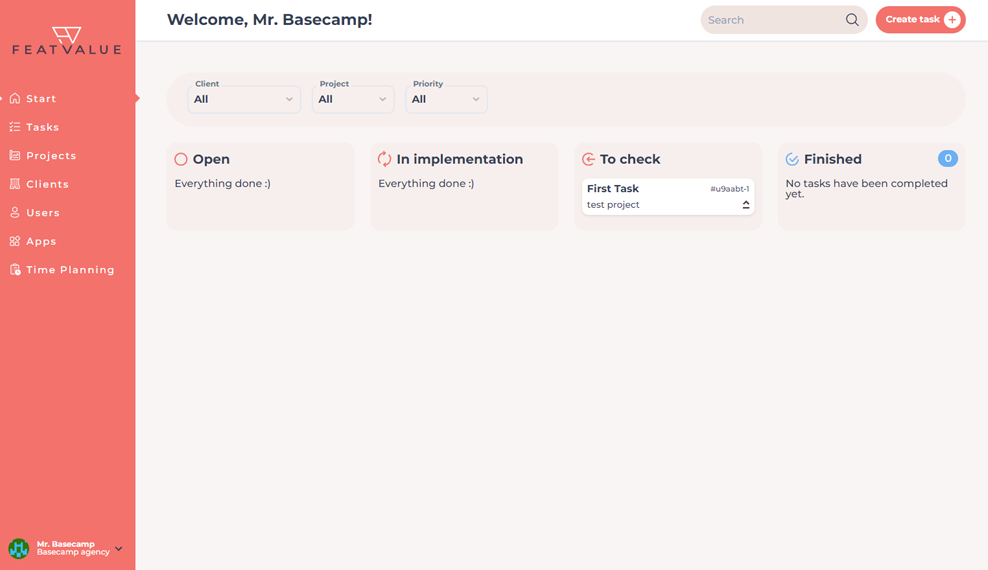
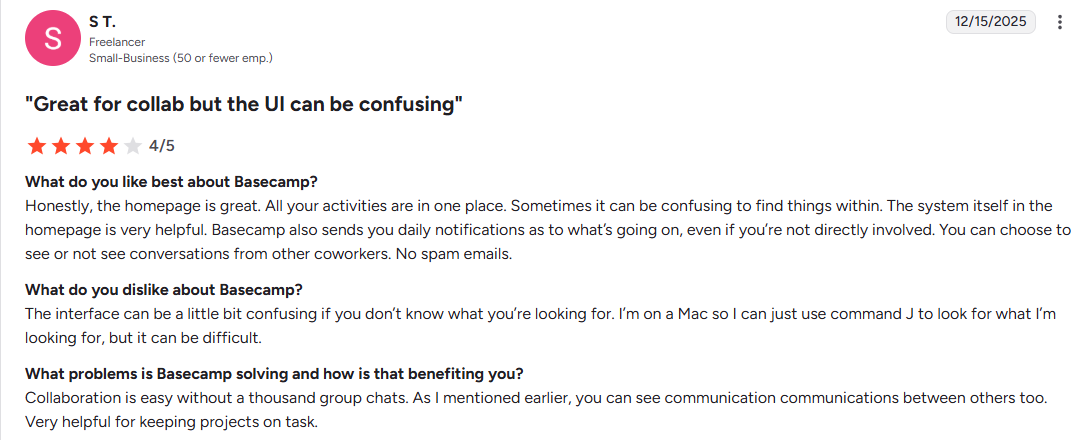
Basecamp is an intuitive, communication-centric project management platform that uses a card-based project view with six core tools: Message Board, To-dos, Docs & Files, Chat, Schedule and Automatic Check-ins. It makes it easy to manage project tasks, assign, track and collaborate on deliverables.
Best for: Creative agencies, startups and remote-first teams that prioritize clear communication and simple task management over complex resource management.
My rating: 4.0/5
Pros and cons
Pros:
- Easy onboarding
- Asynchronous communication prevents meeting fatigue
- Flat-rate pricing
- Client visibility controls for secure external sharing
Cons:
- No Gantt charts or task dependencies
- Limited built-in reporting capabilities
- Rigid structure
- Notification overload in very active projects
Features
- Hill Charts (visual project progress)
- Campfire group chat
- Automatic check-ins for status updates and pings for direct messaging
- Project management with due dates, scheduling, uploading files and visibility controls
- Integrations are limited to Google Drive, Zapier and external calendars
Pricing
- Free forever plan: Allows 1 project and 1GB storage
- Plus: $15/user/month
- Pro Unlimited: $299/month flat rate
User opinions
G2 rating: 4.1
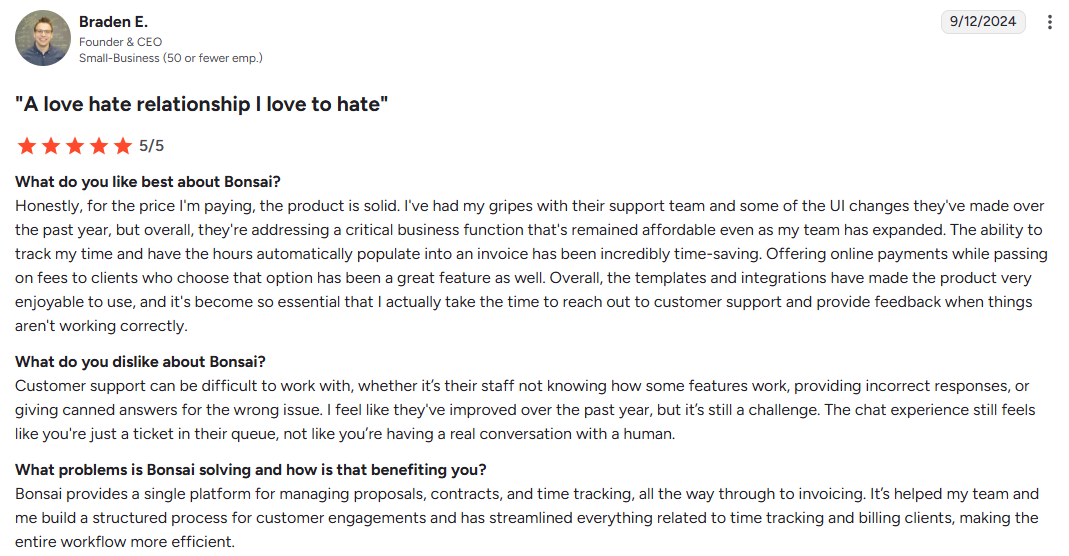
Bonsai
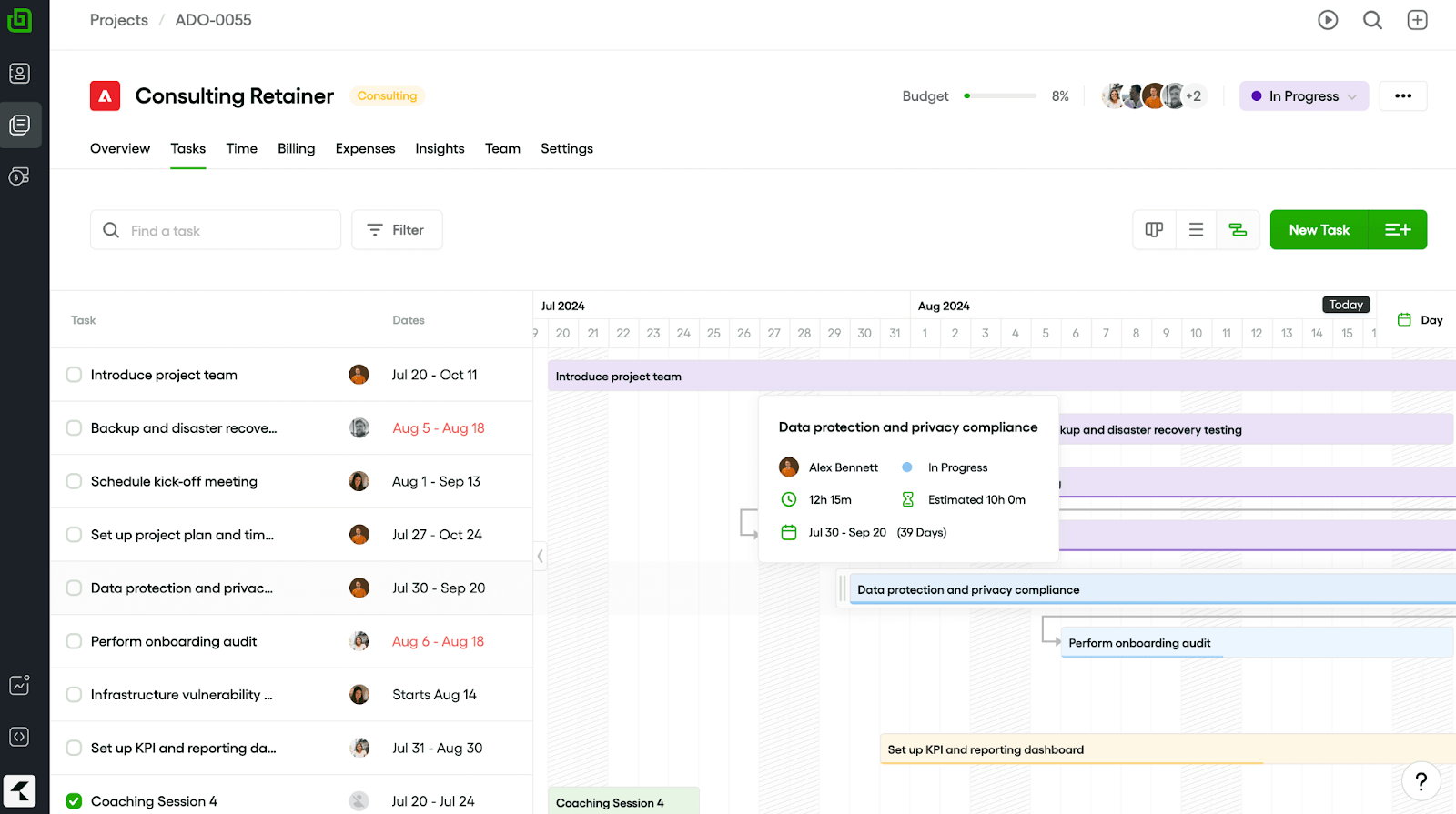
Bonsai is an all-in-one business suite designed for freelancers, independent contractors and service-based businesses. It prioritizes the financial side (contracts, the ability to send invoices, and tax preparation) over complex project timelines.
Best for: Solo entrepreneurs and small teams who need to look professional with limited resources.
My rating: 3.7/5
Pros and cons
Pros:
- Many legally vetted contract templates
- Professional invoice and proposal designs
- Automated tax tracking for some countries
- Integrated banking option
Cons:
- Reports of payment processing freezes sometimes
- Lightweight project management features
- The mobile app has reliability issues
Features
- Time tracking, CRM, billing, project management and reports combined
- Customer portal with document access
- Legal contract creator with dynamic clauses
- The ability to send invoices to clients and auto-reminder invoicing
- Integrations with QuickBooks, Stripe and Slack, mostly through Zapier
Pricing
- Starter: $15/user/month
- Essentials: $25/user/month
- Premium: $39/user/month
- Elite: $59/user/month
User opinions
G2 rating: 4.3
SuperOkay
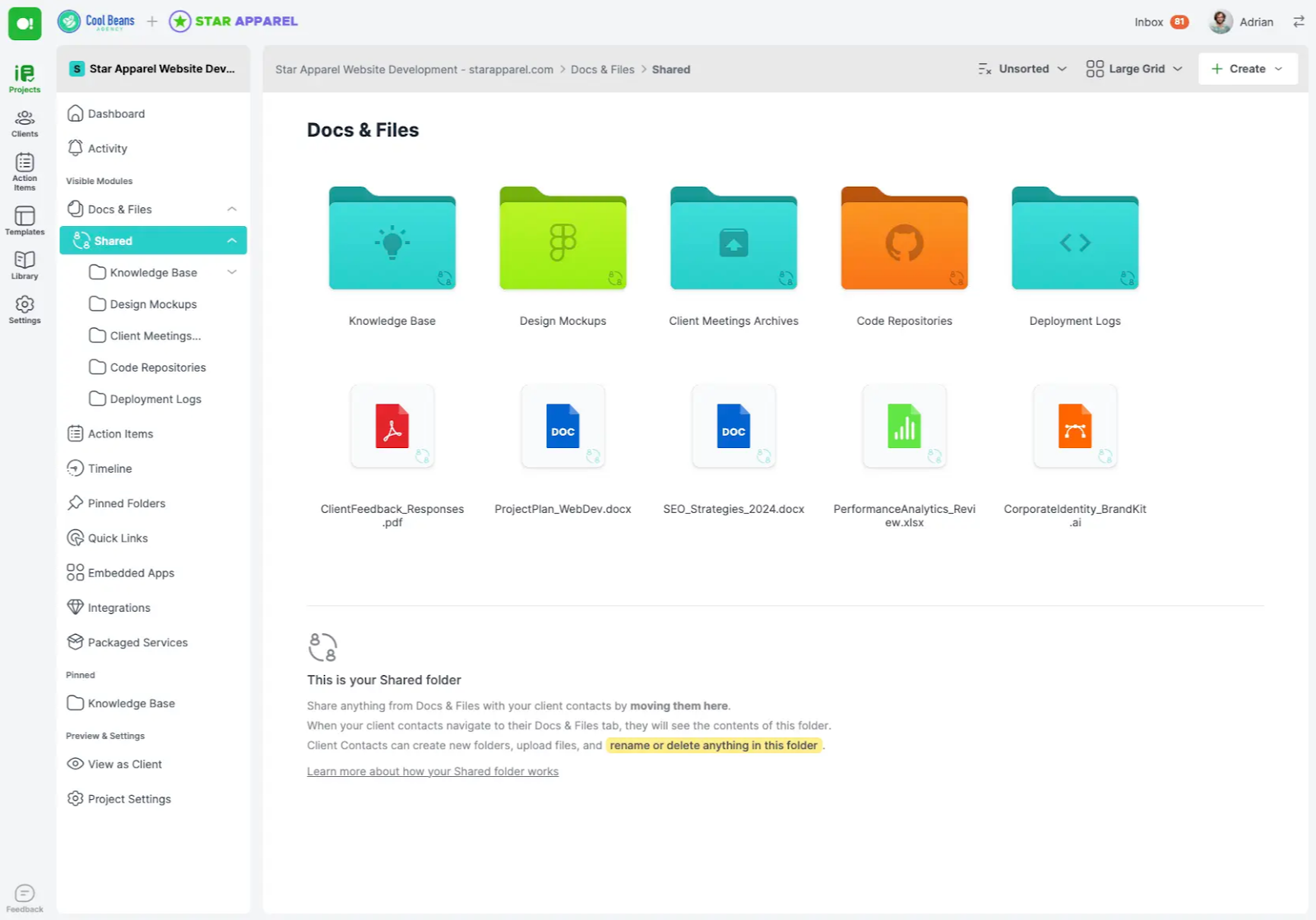
SuperOkay is a client portal tool designed for creative agencies, freelancers and web designers who want a sleek bridge between internal workflows and client-facing experiences. A graphic design agency might present multiple design concepts in a single portal, allowing clients to share deliverables for approval without email back-and-forth.
Best for: Small agencies and solo freelancers who work with high-ticket clients and need a modern, professional destination for project updates and to share deliverables with clients for approval.
My rating: 3.9/5
Pros and cons
Pros:
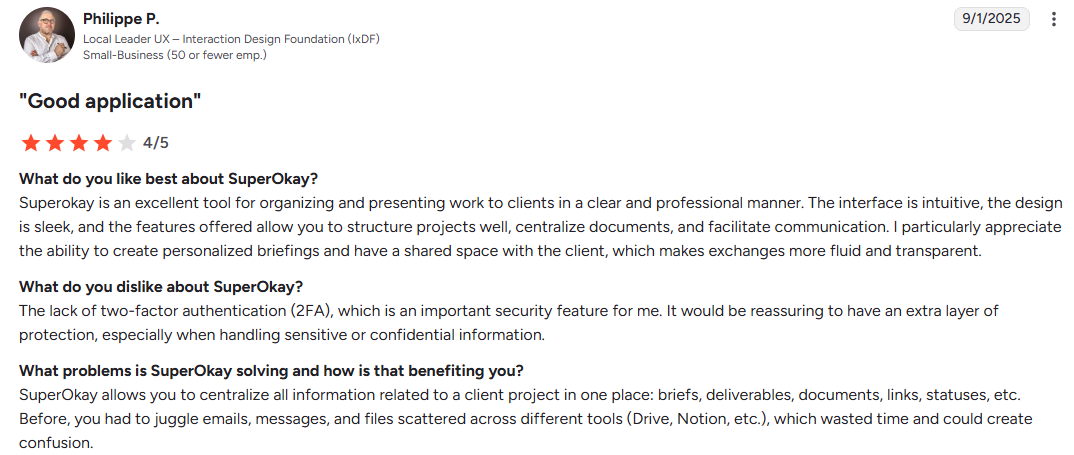
- Sleek UI
- Option to embed external apps within the portal
- Reusable blocks for fast proposal creation
- Easy setup
Cons:
- No Zapier integration on lower tiers
- File upload limits
Features
- Reusable document blocks
- Packaged services listings
- Permanent magic links for easy client access
- Basic AI text assistance
- Messages Hub for client communication
- Collaboration tools for team and client communication
- Integrations with Trello, Airtable, Figma, Canva, Miro, YouTube and Google Docs
Pricing
- Free plan: One client and very little storage
- Solo: $12/month
- Solo+: $38/month
- Business: $146/month
User opinions
G2 rating: 4.6
Teamwork
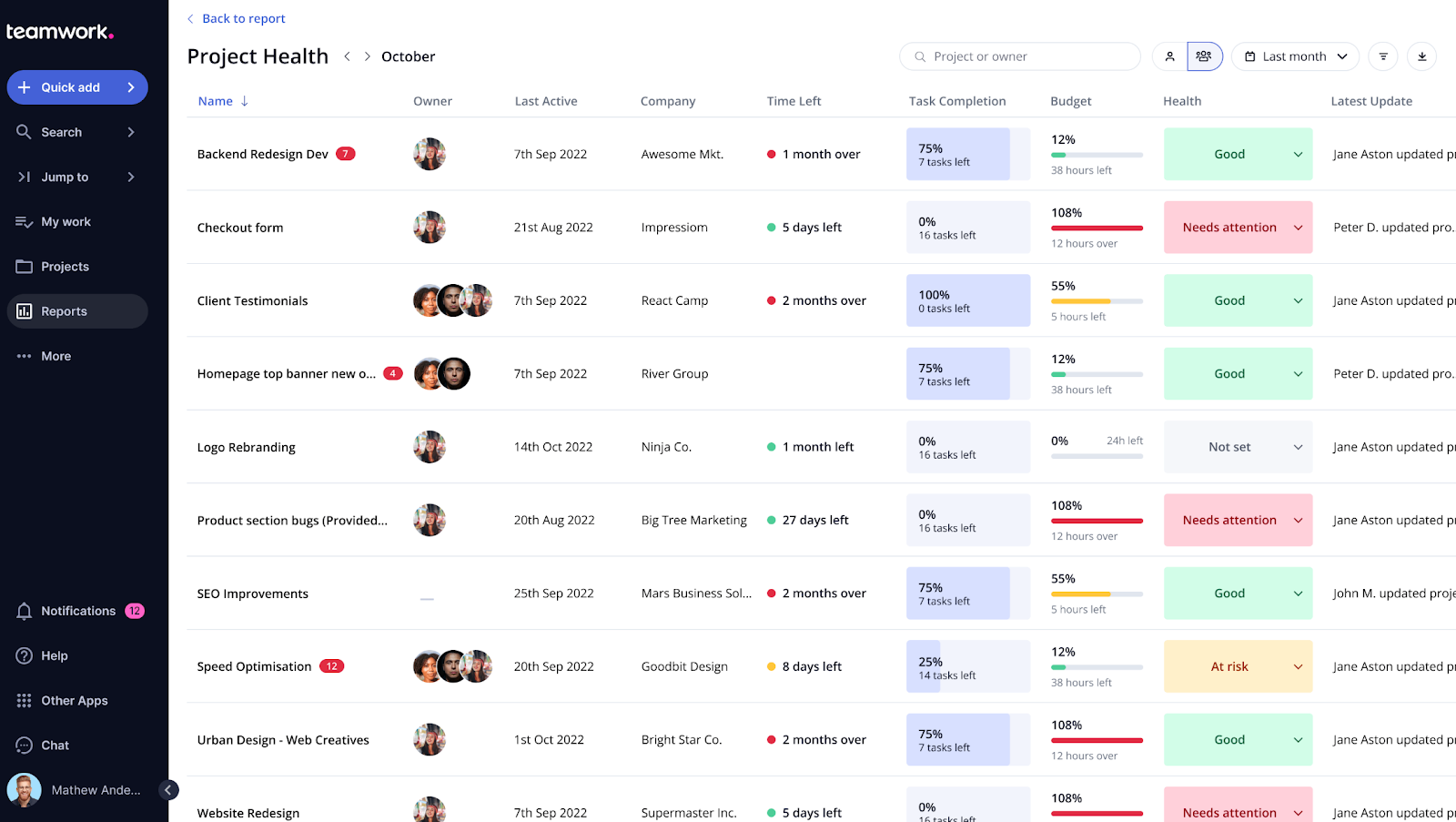
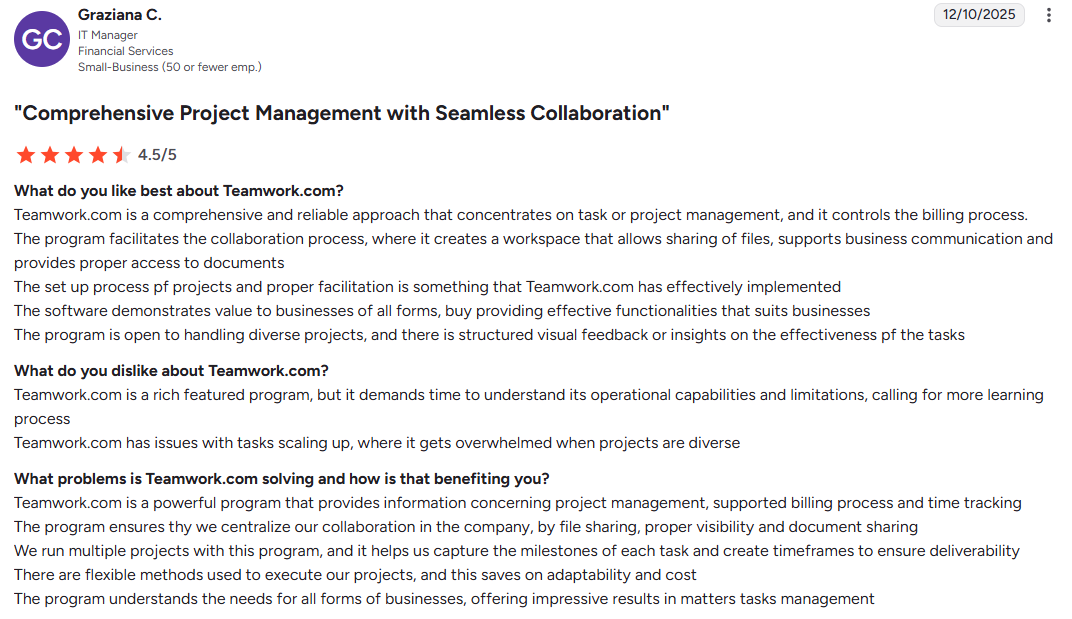
Teamwork is a project management and client operations platform specialized for handling external client work. It lets you manage projects efficiently, whether you have just two clients or are scaling to handle many more, making it suitable for both small teams and growing businesses. It integrates time tracking, budgeting and billing into the project workflow. Teamwork also gives you analytics on client engagement.
Best for: SMBs and agencies that need to track billable hours, manage project profitability and keep clients involved in the process.
My rating: 4.2/5
Pros and cons
Pros:
- Free unlimited client users
- Native time tracking and billing
- Granular permissions down to the task level
- Proofs feature for annotated client feedback
Cons:
- Overwhelming initial setup
- Dashboard UI feels dated
- Mobile app feels incomplete
- Loading performance issues
Features
- AI SmartAssign for task suggestions
- Proofs for annotated file feedback
- Portfolio oversight dashboards
- Profitability tracking, budgets and resource management
- Time tracking
- Project milestones with options to organize project tasks, track progress and keep clients updated on project status
- Integrations with QuickBooks, HubSpot, Zapier, Google Drive, Google Calendar and Dropbox
Pricing
- Free Tier: For up to five users and the core functionalities
- Deliver: $13.99/user/month
- Grow: $25.99/user/month
- Scale: Custom
User opinions
G2 rating: 4.4
To compare additional client portal options, see the best client database software tools comparison.
What is client portal software, and why do you need it?
Client portal software is a secure, centralized platform that enables businesses to communicate, collaborate, and share resources with clients from one unified space. Check out customer portal examples to see real-world applications.
You might be wondering if this is just another project management tool. Not quite. While project management tools like Asana focus on internal team workflows, customer portal software is designed specifically for the client-facing experience. And unlike CRMs that primarily track sales pipelines, client portals create an interactive space where clients actively participate in projects. They include secure information sharing and interaction management, ensuring clients have a seamless and secure experience.
Core client portal functionalities include secure file sharing with version control, real-time messaging and discussion threads, project tracking and task visibility, document management with organized folder structures, approval workflows for deliverables and client management.
Key features and benefits of customer portal software
The best client portal software includes the following essential features:
- Centralized client communication
- Replace scattered email threads with one hub
- Real-time messaging and discussion threads
- Improved visibility for both internal teams and clients
- Task tracking, deadlines, and milestones
- Clients can monitor progress in real time
- Improved accountability across projects
- End-to-end encryption for sensitive client data
- Role-based access controls and permissions
- Audit trails for tracking document activity
- Compliance support (ISO 27001, GDPR, HIPAA where required)
- Custom domains, branding, and client dashboards
- Personalized experience for each client
- Professional and consistent brand presentation
- Connect with CRM, accounting, and productivity tools
- Native integrations or Zapier support
- Reduced manual work and system switching
- Knowledge bases, FAQs, and searchable archives
- Clients can find answers without contacting support
- Reduces repetitive requests and saves time
Should You Build or Buy a Client Portal?
At some point, you’ll face this decision:
Should you build a custom client portal or use existing client portal software?
On paper, building sounds appealing. Full control. Custom workflows. Tailored experience.
In reality, it’s rarely the best option.
The reality most teams discover
What starts as:
“We’ll build exactly what we need”
Quickly turns into:
“We’re maintaining software instead of serving clients”
A simple decision rule
Choose client portal software if:
- You want to launch quickly
- You work with multiple clients
- Security and reliability matter
Consider building only if:
- You’re creating a product (not just internal tooling)
- You have engineering resources long-term
For most service businesses, buying is faster, safer, and more cost-effective.
How Client Portals Actually Work (Real-World Examples)
Most articles explain features.
What matters is how client portal software works in real scenarios.
Here are three common workflows.
1. Client onboarding (agency or consulting)
Without a portal:
- Documents sent via email
- Feedback scattered across threads
- Clients unsure what’s next
With a portal:
- Client logs into a dedicated workspace
- Sees onboarding checklist and documents
- Uploads required files directly
- Communicates in one place
Result: onboarding becomes structured instead of chaotic.
2. Secure document sharing (legal, finance, accounting)
Without a portal:
- Sensitive files sent via email or links
- Version confusion
- Security risks
With a secure client portal:
- Files stored in controlled folders
- Permissions restrict access
- Audit trails track every action
- Clients always access the latest version
This is where secure client portal software becomes critical.
3. Project collaboration and approvals
Without a portal:
- Feedback arrives in emails, PDFs, Slack messages
- Approval cycles slow down
With a portal:
- Files are uploaded in one place
- Clients comment directly on deliverables
- Tasks and deadlines are visible
- Approvals happen faster
The biggest gain isn’t efficiency—it’s clarity for both sides.
The key takeaway
Client portals don’t just store information.
They:
- Structure communication
- Reduce friction
- Give clients visibility and confidence
That’s what separates average tools from the best client portal software.
Choosing the right portal software for your business
Choosing the right client portal software is all about finding a platform that matches how you actually work with clients.
For professional service businesses that need enterprise-grade security, complete brand customization, and a portal that genuinely feels like their own website, Clinked stands out. The combination of bank-grade security, white-label mobile apps, and intuitive client experience makes it the choice for organizations where trust and professionalism are at the forefront of mind.
This client portal lets your clients view and update their basic information, manage authentication preferences and access important documents all in one place. Additionally, you can track customer engagement and identify clients who may need more attention before renewals.
Book a Clinked demo or start your free trial today.
FAQs
How much does client portal software cost?
Pricing varies significantly based on features and scale. Clinked cost begins at $77/month without user limits and scales to custom pricing for large organizations. Some platforms charge per user, while others offer flat-rate pricing. Most platforms offer free trials or demos to help you evaluate before committing.
Is the client portal software secure for confidential documents?
The best client portal software, like Clinked, provides enterprise-grade security through 256-bit SSL encryption for data in transit, AES encryption at rest, role-based access controls and detailed audit trails. For highly regulated industries, look for platforms with compliance certifications like ISO 27001, SOC 2, HIPAA, and GDPR. Clinked offers all these certifications plus features like document watermarking and secure cloud storage for sensitive data.
Can client portal software integrate with my existing tools?
Most modern customer portal software offers integrations with popular business tools through native connectors or Zapier. Before choosing a platform, verify it connects with your CRM, accounting software and productivity apps or offers Zapier as a bridge.
Do I need technical skills to set up a client portal?
Most portal software platforms a, so you can have your first client workspace running within hours. Make sure you choose something that has extensive client portal features but low learning curve, so you can have your portal up and running without training staff.
Photo by Christin Hume on Unsplash




.webp)