What Is a Client Portal?
A client portal is a secure online platform that allows businesses to share files, communicate, and manage workflows with clients in one place. Instead of relying on email or scattered tools, a client portal provides a centralized, private space for collaboration.
The best client portals combine document management system capabilities with project tracking and secure communication. Often payment processing too. All in one place that's branded to look like part of your business.

Why Every Business Needs Client Portal Software in 2026
As businesses grow, managing client communication through email, shared drives, and disconnected tools becomes inefficient and difficult to scale.
A client portal solves this by providing a centralised, secure platform where clients can access information, share documents, and communicate in one place.
The Email Problem Is Getting Worse
Email was never designed for project management or secure file sharing. Yet most businesses still rely on it for both.
The result is lost documents, long email chains, and constant back-and-forth communication. Clients struggle to find what they need, while teams waste time resending files and tracking down feedback.
A client portal replaces this chaos with a structured system where everything is organised and easy to access
Security Compliance Isn't Optional Anymore
With increasing data regulations such as GDPR and HIPAA, businesses can no longer rely on email to handle sensitive information.
Client portal software provides encrypted storage, controlled access, and audit trails ensuring that only authorised users can access specific data.
This not only improves security but also protects your business from costly compliance risks.
Client Expectations Have Changed
Modern clients expect the same level of convenience they experience with online banking, streaming platforms, and digital tools.
They want instant access to information, real-time updates, and the ability to manage tasks without waiting for email responses.
A professional client portal meets these expectations by offering a seamless, self-service experience that improves satisfaction and builds trust.
Core Features That Make Client Portal Software Actually Useful
After evaluating dozens of client portal systems, here are the features that actually matter.
Document Management System Integration
A client portal should do more than store files—it should make document management simple, secure, and organised.
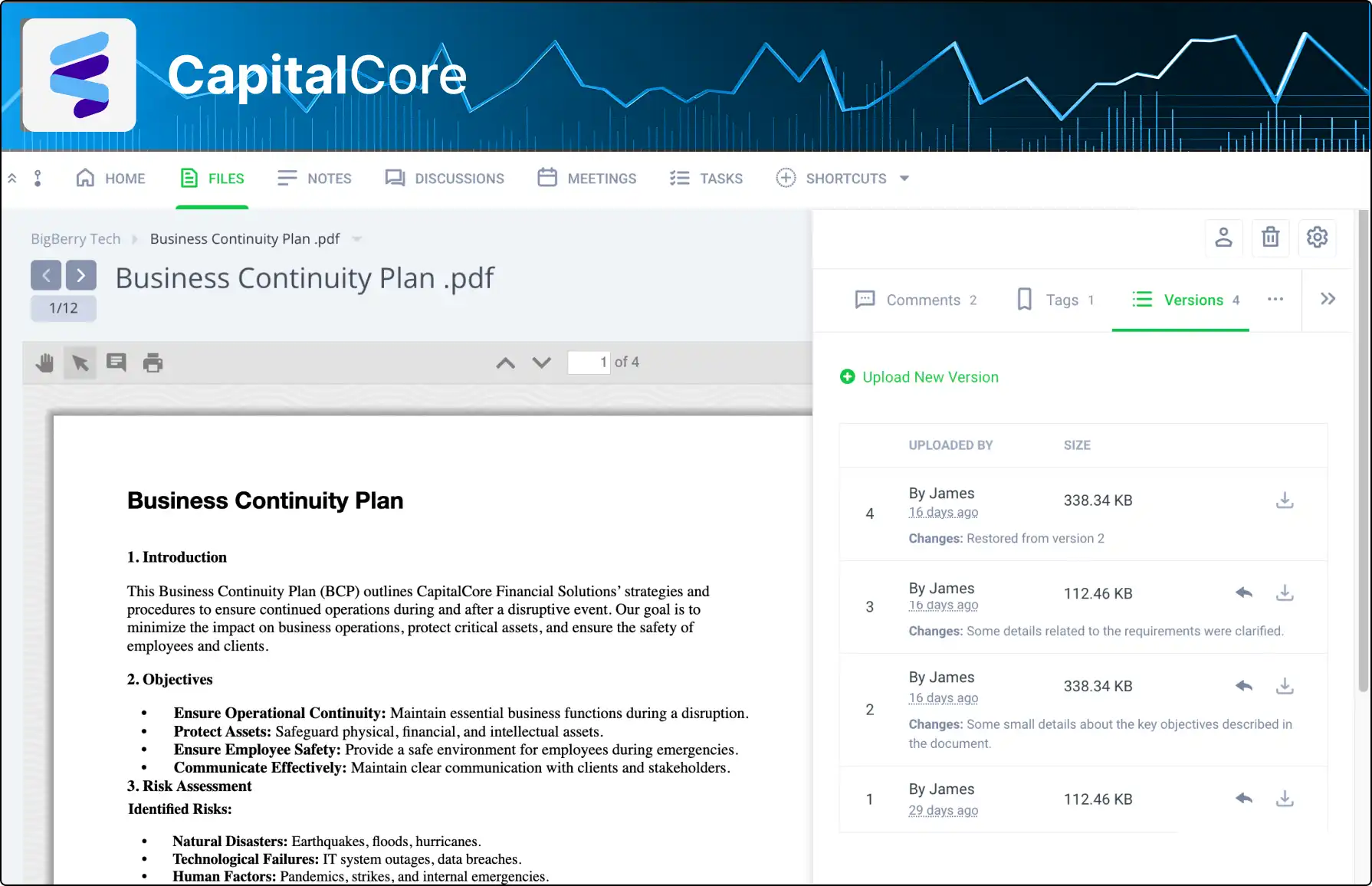
With the right client portal software, businesses can upload, share, and track documents in one centralised space. Features like version control ensure clients always access the latest files, while activity tracking shows who viewed or downloaded documents.
Many platforms also integrate with tools like Google Drive, Dropbox, or SharePoint, allowing teams to manage files without disrupting existing workflows.
Workflow Automation That Actually Saves Time
This is where most portals fail. They give you a place to store stuff, but they don't automate the repetitive tasks that eat up your day.
The right system should automatically notify clients when new documents are available. Send reminders about pending approvals. Update project timelines without you having to remember to do it.
Look for portals that can trigger actions based on what happens. Like automatically sending onboarding documents when a new client is added or moving projects forward once required files are submitted.
By automating these processes, a client portal reduces manual work, improves efficiency, and keeps projects moving without constant follow-ups.
Role-Based Access Control
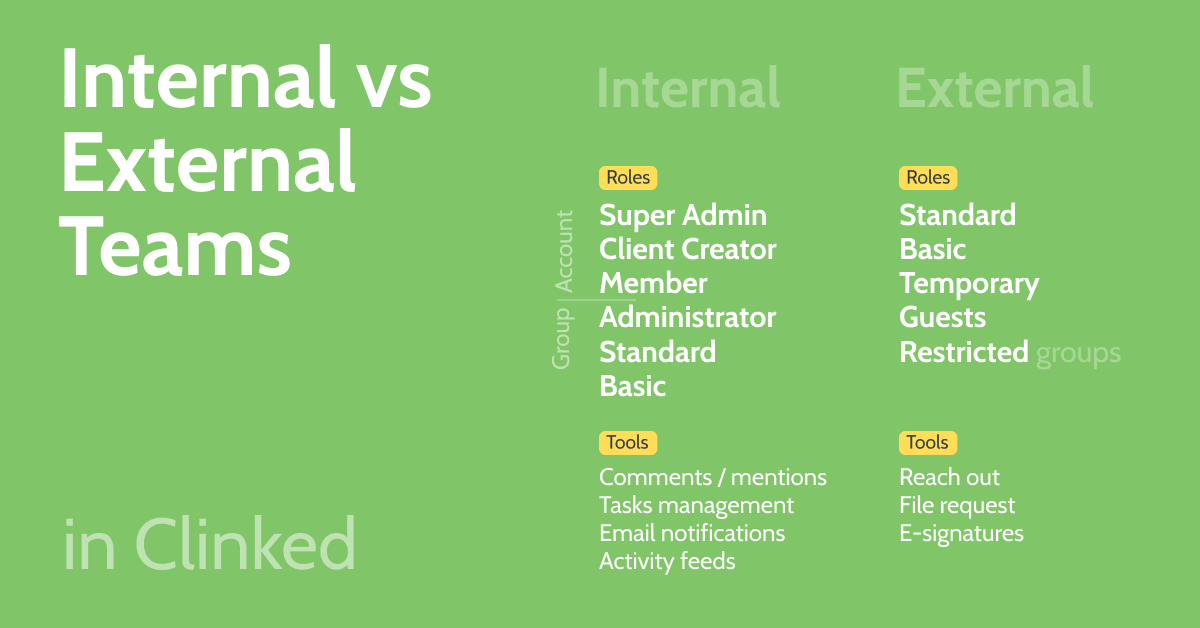
Not every client needs to see everything. Not every team member should have the same permissions. The portal should let you create different user types with different access levels.
For example, your clients might see their project files and invoices, but not your internal notes. Junior staff might be able to upload documents but not change project settings.
A client portal should give you full control over who can access specific information.
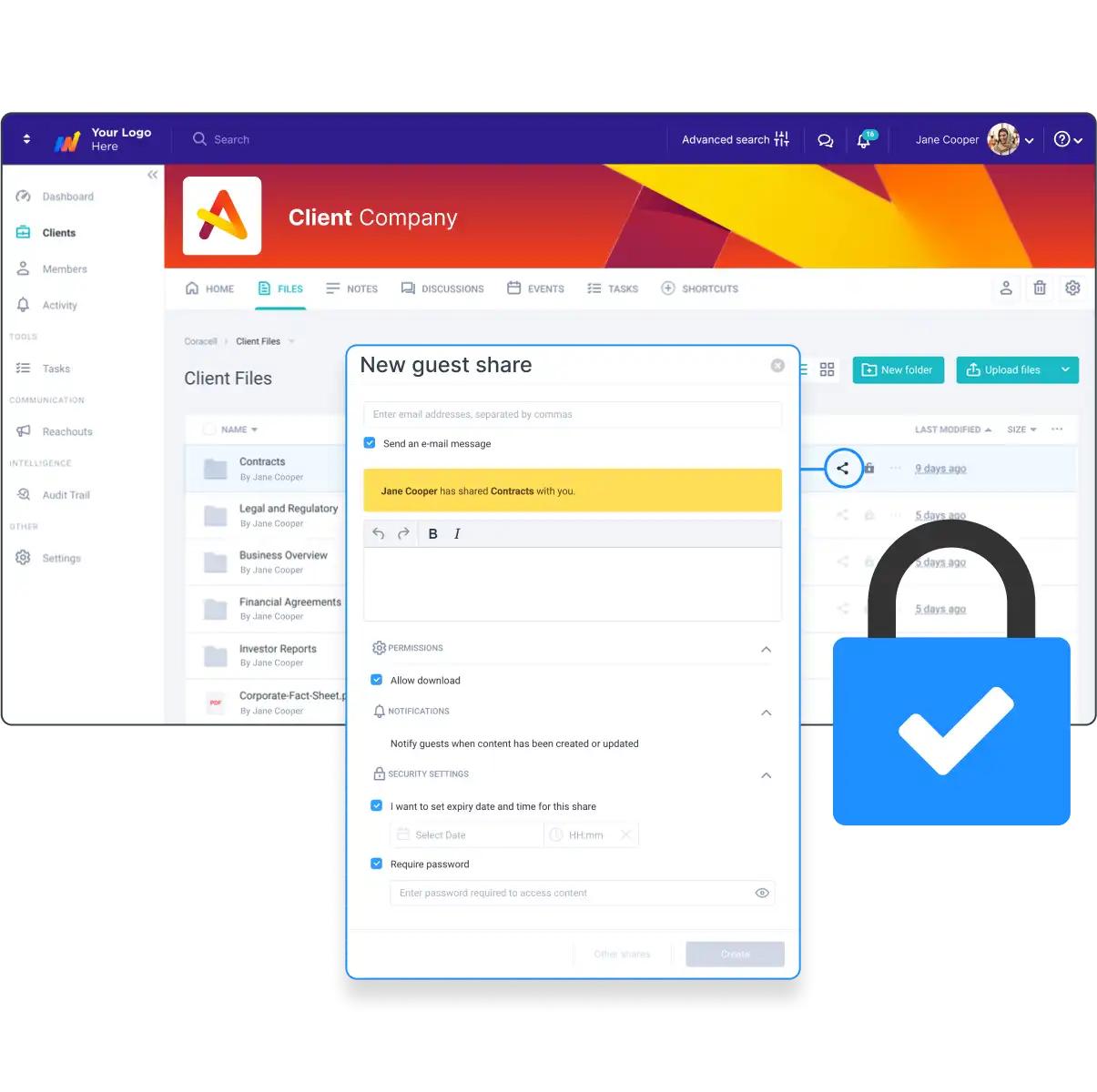
With the right client portal software, you can assign different roles and permissions to clients, team members, and administrators. This ensures that each user only sees the files, projects, or data relevant to them.
For example, clients may access documents and invoices, while internal teams can manage project details and settings. This level of control improves security, protects sensitive information, and keeps everything organised.
Real-Time Communication Tools
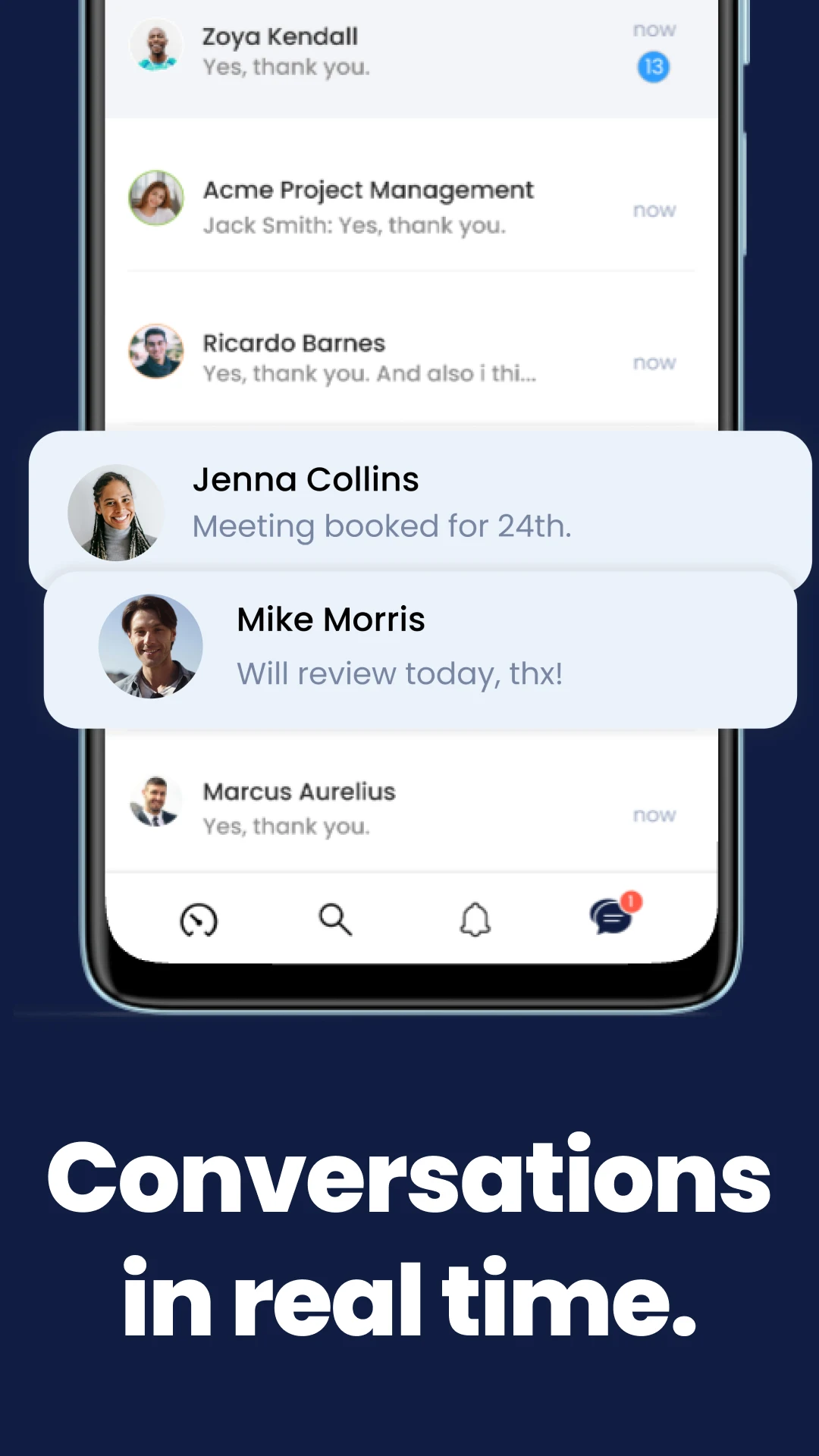
The whole point is to reduce email chaos. A client portal should simplify communication, not add to the noise.
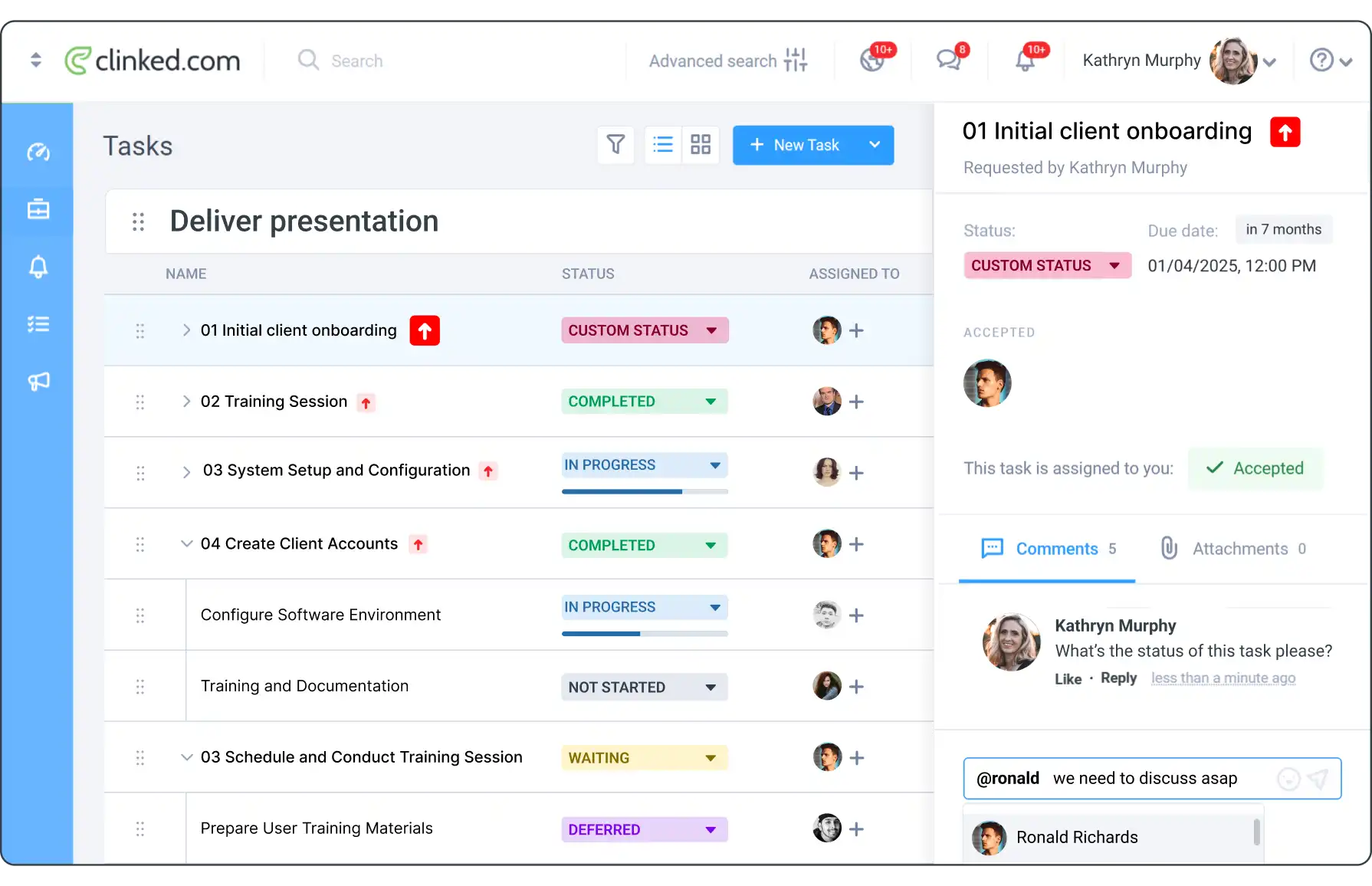
With built-in messaging, teams and clients can communicate directly within the platform, keeping conversations linked to specific projects, tasks, or documents. This eliminates scattered email threads and makes it easier to track discussions.
The best client portal software includes features like comment threads, @mentions, and custom notifications, ensuring that the right people stay informed without constant back-and-forth
Mobile-First Design
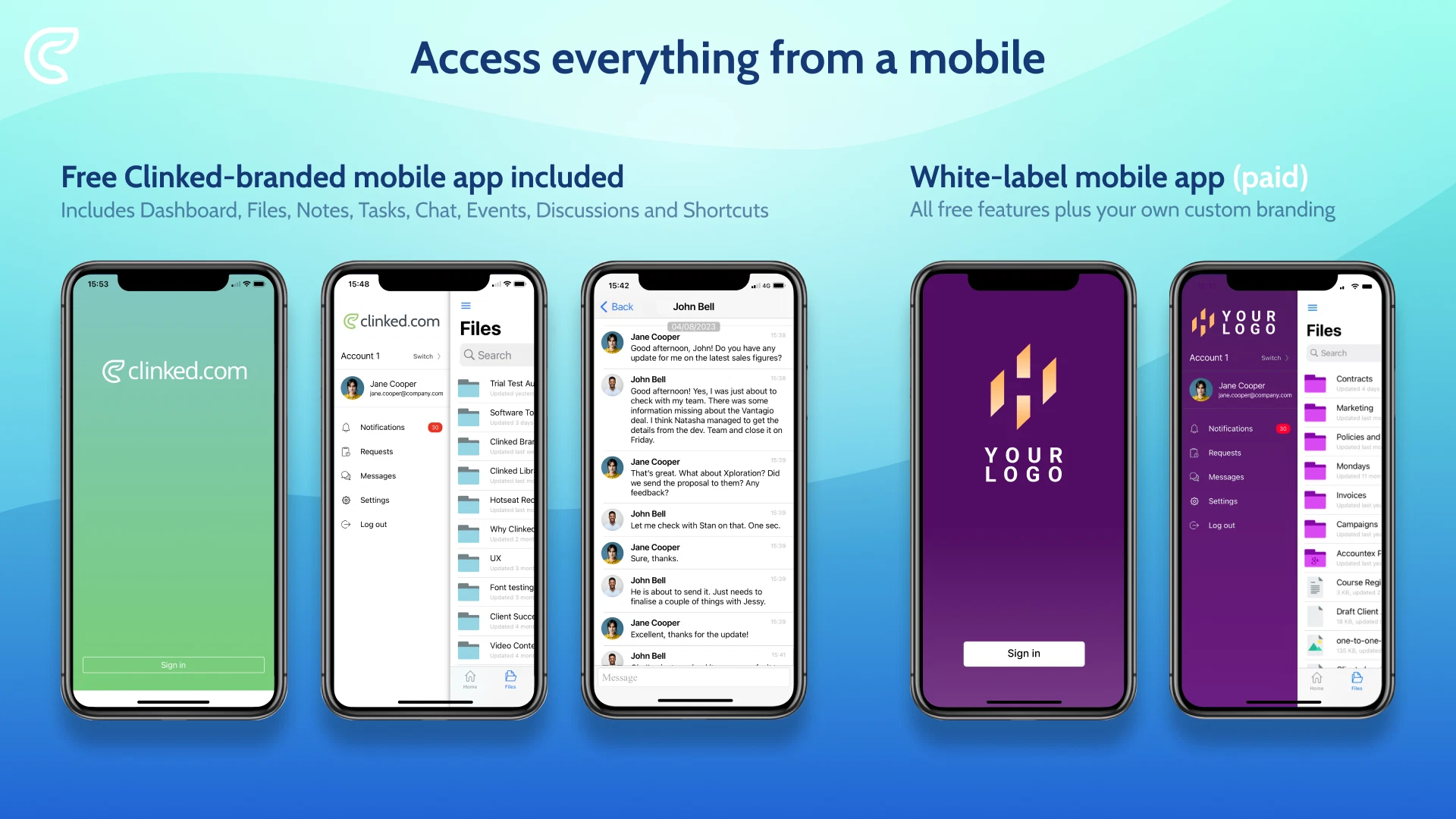
A client portal should work seamlessly across all devices, not just desktop.
Clients often need to access files, updates, and messages on the go, so the experience must be just as smooth on mobile and tablets. A well-designed client portal software provides responsive layouts or dedicated mobile apps to ensure easy navigation and usability.
This ensures clients can stay connected, review documents, and manage tasks anytime, from any device.
Client Portal Examples Across Different Industries
Client portals are used across different industries to improve communication, security, and workflow efficiency:
- Client portals are used across different industries to improve communication, security, and workflow efficiency:
- client portal for Law firms: Secure document sharing, case updates, and confidential client communication (e.g., tools like Clinked or ShareFile)
- client portal for Accounting firms: Tax document collection, financial reports, and client collaboration (e.g., Clinked, SuiteDash)
- client portal for Marketing agencies: Campaign tracking, feedback, approvals, and asset sharing (e.g., Clinked, SuperOkay)
- client portal for Financial services: Secure dashboards for reports, investments, and sensitive client data (e.g., Clinked, ShareFile)
- client portal for Healthcare providers: Patient portals for records, appointments, and secure messaging (e.g., ShareFile, custom solutions)
How to Create a Client Portal: Build vs Buy
When creating a client portal, businesses typically choose between custom development or using client portal software.
Client Portal Software (Best for Most Businesses)
For most companies, using client portal software is the fastest and most efficient option.
- Launch quickly — get a working client portal in days
- Secure by default — encryption, permissions, and compliance built-in
- Cost-effective — no large upfront development costs
- Feature-rich — document sharing, workflows, and integrations included
Custom Client Portal Development
Custom-built portals offer full control but require:
- Longer timelines (3–6+ months)
- Higher costs and ongoing maintenance
- Dedicated resources for security and updates
How to Create a Client Portal (Simple Steps)
- Define what your clients need (documents, updates, communication)
- Choose the right client portal software or development approach
- Organize content and set permissions
- Enable automation (notifications, approvals, workflows)
- Launch and onboard client.
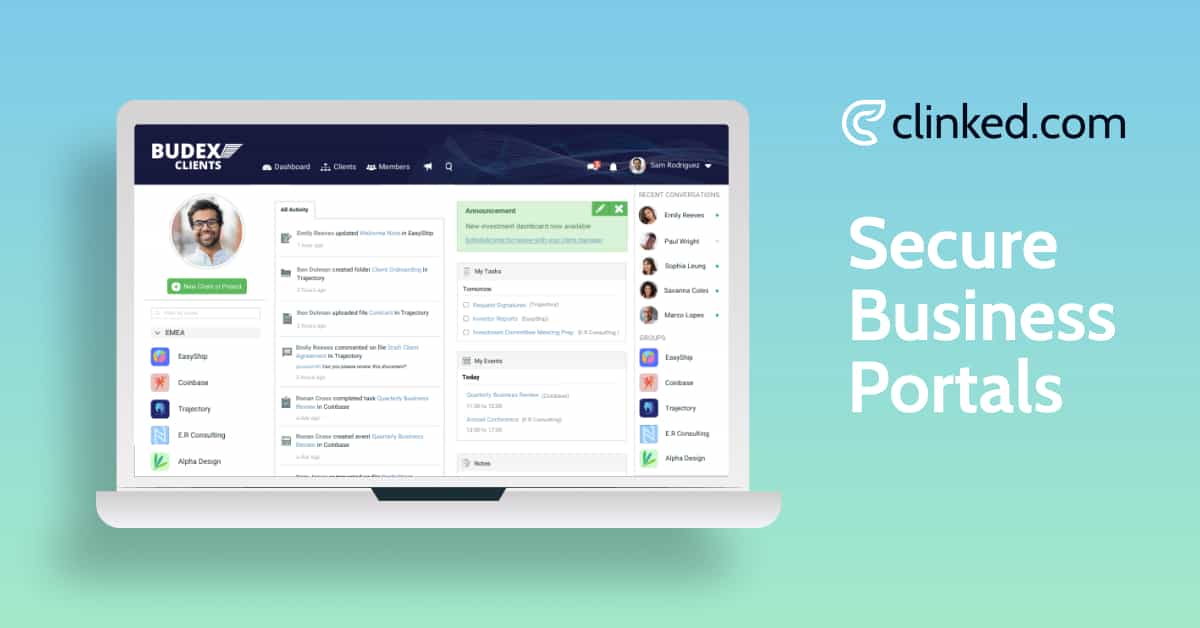
Example of how to create a client portal, including dashboards, document sharing, and secure client access.
Ready to create your own client portal? Explore how Clinked helps you build secure, branded client portals in minutes.
Best Client Portal Software Options for 2026
Based on actual user feedback and feature comparisons.
Choosing the right client portal software depends on your business needs, level of customization, and security requirements. While there are many tools available, a few stand out based on usability, features, and scalability.
If you’re comparing tools, we’ve already reviewed 8 of the best client portal software platforms for 2026, including Clinked, Zendesk, SuiteDash, Zoho Creator, Basecamp, Bonsai, SuperOkay, and Teamwork.
That guide breaks down features, pricing, pros and cons, and real use cases so you can choose the right platform based on how your business actually works.
Read the full comparison here:
Best Client Portal Software 2026: 8 Tools Actually Worth Your Investment
Clinked is a great choice for businesses that want their client portal to feel fully branded. Unlike many platforms that only allow basic logo and color changes, Clinked lets you customize everything from your domain to the interface so it looks and feels like your own product. On top of that, it includes essential features like audit trails to track all activity, a mobile app for easy access on the go, and bank-level security to keep your data safe. Combined with built-in collaboration tools and integrations with apps like Google Workspace, Microsoft 365, and DocuSign, Clinked stands out as one of the best all-in-one client portal solutions available. Explore more features.
When Custom Development Makes Sense
Consider building a custom client portal if you have very specific workflow requirements that no existing platform supports. Or need to integrate deeply with proprietary software systems. Have the budget for ongoing development and maintenance. Have in-house technical expertise to manage the system long-term.
Just remember that custom development typically costs 10-20 times more than using an existing platform. And you'll be responsible for security updates, feature development, and technical support.
Client Portal Security Essentials
A secure client portal is critical for protecting sensitive client data and maintaining compliance. The most important security features to look for include:
- Data encryption: Protects data both in transit and at rest using standards like AES-256
- Access controls: Role-based permissions ensure only authorized users can view specific information
- Audit trails: Track all activity, including file access, downloads, and changes
- Compliance standards: Supports regulations like GDPR, HIPAA, and ISO 27001
Common Client Portal Implementation Mistakes (And How to Avoid Them)
Overcomplicating the Initial Setup
Don't try to recreate your entire business process in the portal from day one. Start with the basics. File sharing, basic communication, project status updates. Add complexity gradually as you and your clients get comfortable with the system.
Ignoring Mobile Users
If your clients can't use the portal easily on their phones, they probably won't use it at all. Test the mobile experience thoroughly before launching.
Inadequate Training and Onboarding
Your team needs to understand how to use the portal effectively. Your clients need clear instructions for accessing and using their accounts. Budget time for proper training and create simple how-to guides.
Choosing Based on Price Alone
The cheapest option usually isn't the best long-term choice. Factor in the cost of your time, the impact on client satisfaction, and the potential security risks of inadequate systems.
Making the Decision: Is Client Portal Software Worth the Investment?
For most service-based businesses, the answer is absolutely yes. The time savings alone usually pay for the cost within a few months. The improvement in client satisfaction provides ongoing value.
The real question isn't whether you need a client portal. It's which solution fits your specific needs and how quickly you can implement it without disrupting your current operations.
Start by identifying your biggest pain points. Are you spending too much time managing file requests? Are clients frustrated by slow communication? Are you worried about document security? Focus on solving those problems first. Let the portal grow more sophisticated over time.
The businesses that succeed with client portals are the ones that think of them as relationship management tools, not just file storage systems. When implemented thoughtfully, a client portal becomes a competitive advantage that helps you deliver better service while reducing the administrative burden on your team.
The Best Solution for Your Business: Why You Should Choose Clinked
With all these features, it’s no surprise that Clinked is one of the leading client portal solutions for businesses across industries. Whether you’re a law firm, consultancy, or accounting practice, Clinked’s all-in-one platform is designed to improve efficiency, collaboration, and security.
If you’re ready to see how Clinked can work for your business, schedule a demo or start your free trial today. Experience firsthand how Clinked can streamline your client management, improve your workflows, and keep your data secure. It’s time to upgrade your client communication and future-proof your business.
Frequently Asked Questions About Client Portal Software
What does client portal software enable you to do?
Client portal software allows businesses to securely share documents, collaborate on projects, communicate with clients, process payments, and provide self-service access to important information all in one centralized platform.
How much does client portal software cost?
Most client portal software costs between $20 and $100 per month for small businesses, while enterprise solutions can start at $300+ per month. The investment often pays for itself through time savings and improved efficiency.
Is client portal software secure?
Yes, reputable client portal software like clinked uses enterprise-grade encryption, role-based access controls, and compliance features such as GDPR and HIPAA standards. This makes it far more secure than email for sharing sensitive information.
How long does it take to set up a client portal?
Using existing platforms, you can typically set up a basic client portal within 1–2 weeks, including onboarding. Custom-built solutions usually take 3 months or longer.
Do clients actually use client portals?
Yes, when implemented properly, client portal adoption rates often exceed 80%. Success depends on choosing user-friendly software and providing clear onboarding and guidance for clients.




.webp)